Turn KorrektWort into an app on your phone (Android & iPhone)
KorrektWort runs in your browser, and that is on purpose: nothing to download, nothing to update, works on every device. But on your phone you probably want it to feel like an app: an icon on the home screen, opening full-screen, one tap away.
Good news: your phone can already do this, and it takes about 20 seconds. Here is exactly how, button by button.
On Android (Chrome)
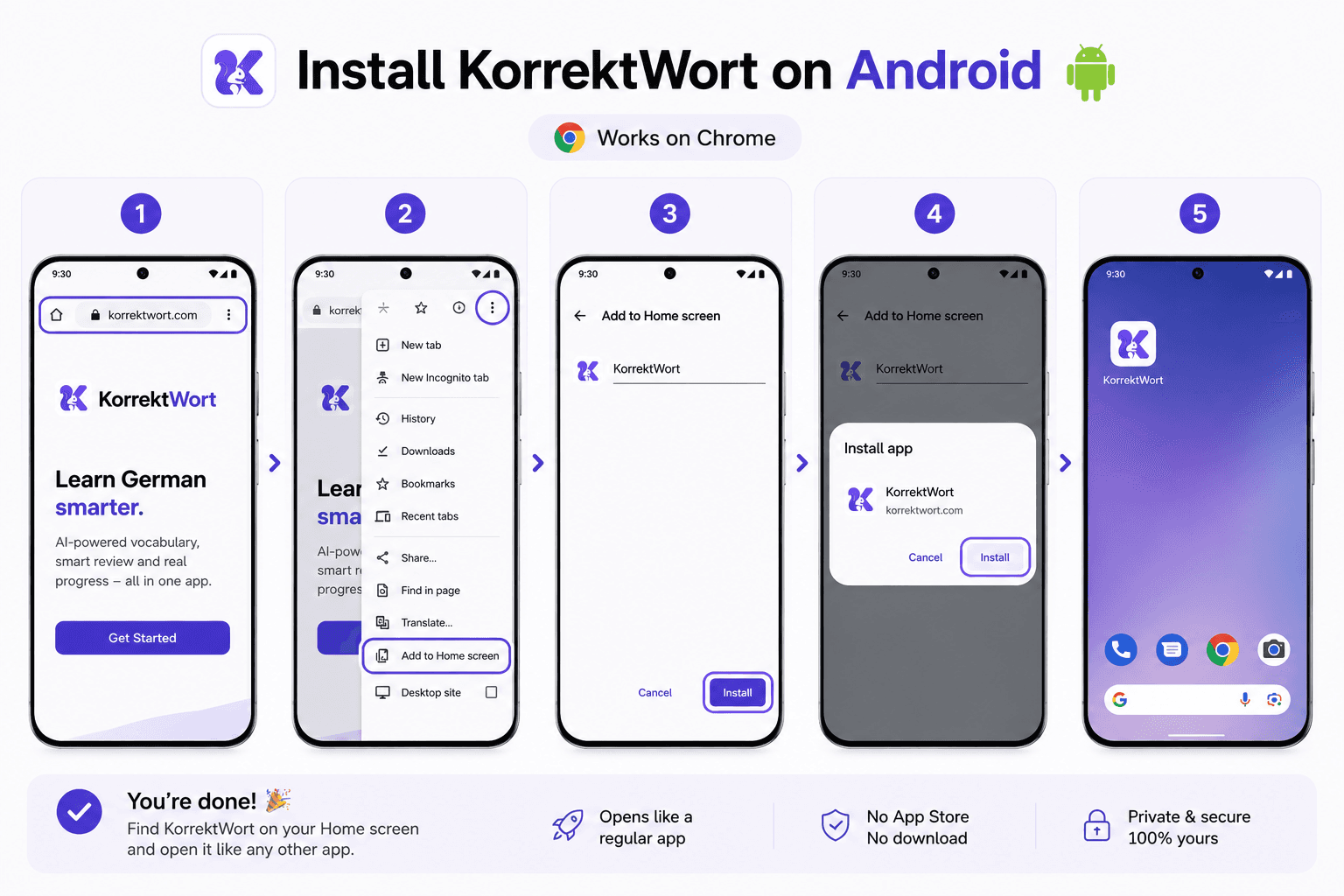
Open korrektwort.com in Chrome
Type korrektwort.com in the address bar and sign in once.
Tap the three-dot menu
It is in the top-right corner of Chrome.
Tap 'Add to Home screen' or 'Install app'
Chrome shows one of the two, they do the same thing.
Confirm with 'Install' or 'Add'
Done. The KorrektWort squirrel appears on your home screen.
On iPhone / iPad (Safari)
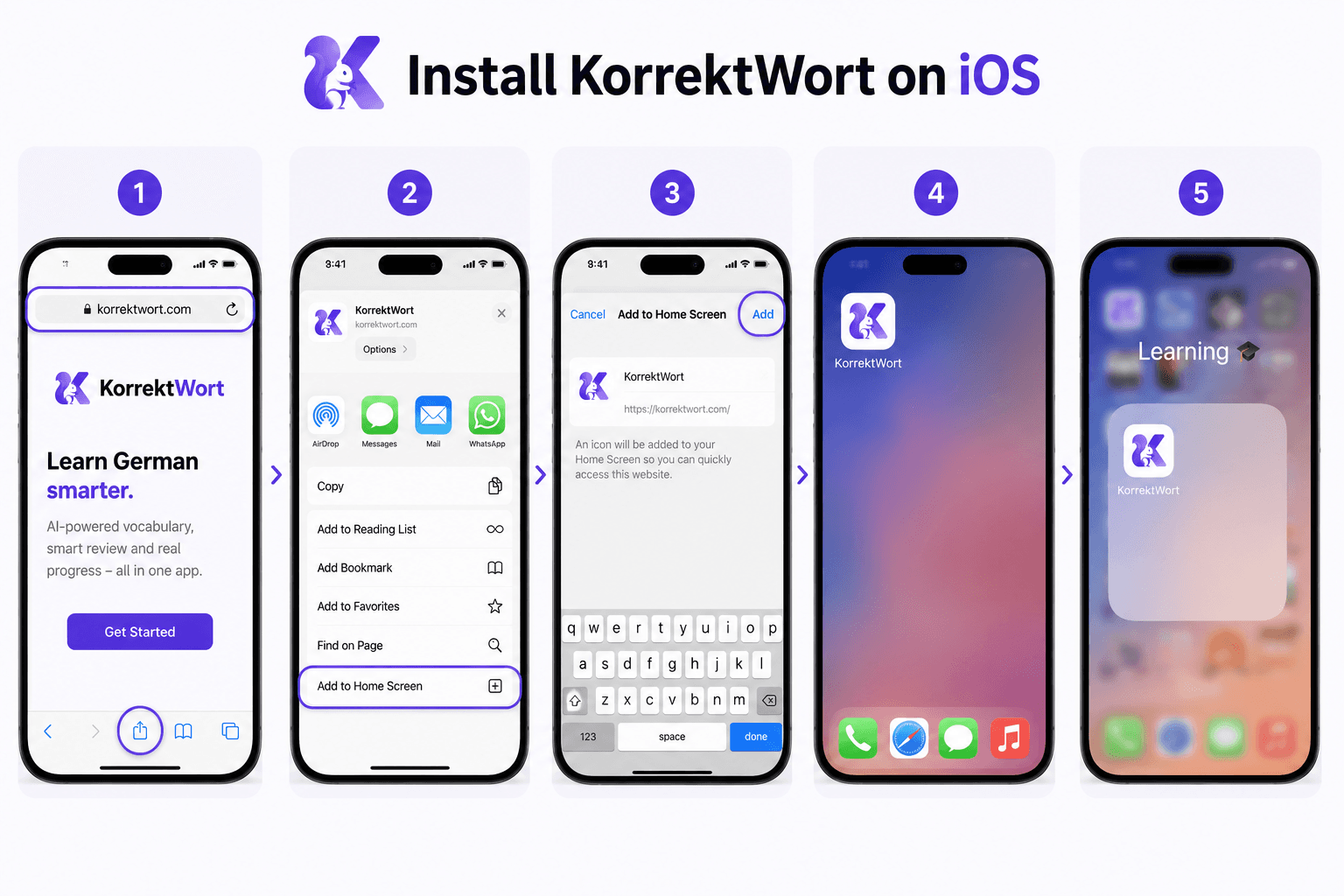
Open korrektwort.com in Safari
This works in Safari, Apple does not allow it from other browsers.
Tap the Share button
The square with the arrow pointing up, in the middle of the bottom bar.
Scroll down and tap 'Add to Home Screen'
If you do not see it, scroll the list of options, it is a bit further down.
Tap 'Add' in the top-right corner
That is it. KorrektWort now sits next to your other apps.
What you get
- Opens full-screen, no browser bars, it looks and feels like a native app.
- You stay signed in, your words and progress are always there.
- No app store, no updates to install, you always have the newest version.
On iPhone, there is also a real app in beta
The home screen trick above works today and keeps working. But if you have an iPhone and do not mind a rough edge now and then, there is a native KorrektWort app in open beta, and you can join it right now.
- It is the same account. Your words, your reviews, your credits and your streak are the ones you already have, whether you signed in on the web or in the app.
- It is free, and it is a beta: things will occasionally look odd or not work. Take a screenshot in the app and TestFlight lets you send it straight to us.
- Nothing is lost if you stop. Everything lives in your account, so the browser version carries on exactly where the app left off.
You install it through TestFlight, Apple's official app for beta versions. Tap the link on your iPhone, install TestFlight if you do not have it yet, then tap Install. There is no Android beta: on Android the home screen steps above give you the same thing.